

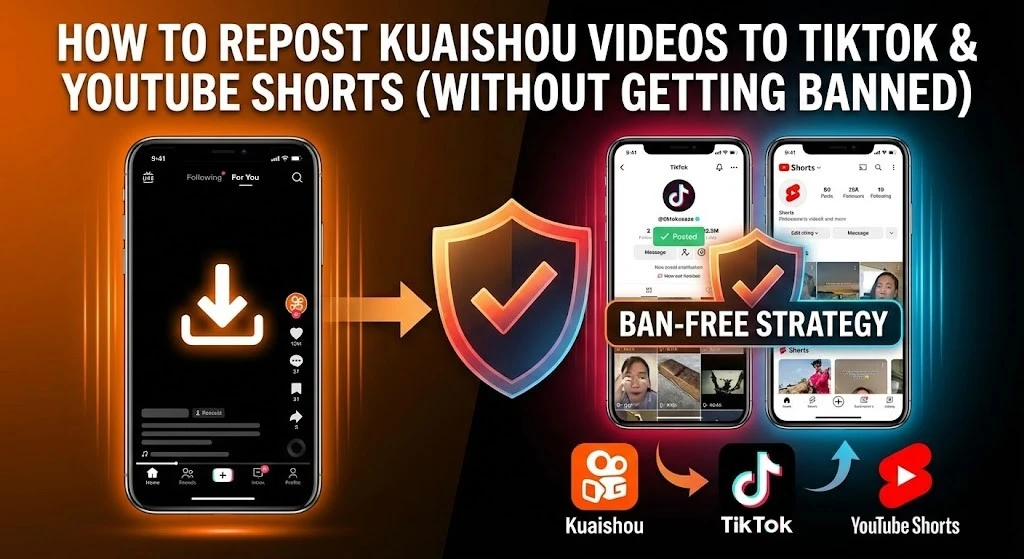
How to Repost Kuaishou Videos to TikTok & YouTube Shorts (Without Getting Banned)
Imagine this scenario: You spend three hours scrolling Kuaishou, finding the funniest, most satisfying clip you’ve ever seen. It has 5 million likes in China but zero presence on TikTok. You think you’ve struck gold. You download it, upload it to your TikTok theme page, and wait for the viral explosion.
24 hours later? Zero views.
Or worse, you get hit with a “Not eligible for the For You Feed” notification. Your account status drops to “Warning.” You’ve just been shadowbanned.
Here is the hard truth that most “gurus” won’t tell you: The days of simply downloading and reposting are over. TikTok’s ByteDance algorithm (which owns both TikTok and Douyin) is terrifyingly smart. It can detect file metadata, hash values, and even visual fingerprints. If you are lazy, you will get banned.
But if you are smart? Kuaishou (Kwai) remains the single biggest untapped goldmine for Western content creators.
In this guide, I’m going to show you the “Clean Extraction” protocol—the exact workflow professional curators use to strip Kuaishou videos of their digital identity, bypass the “Reused Content” filters, and build massive audiences on TikTok and YouTube Shorts safely.
Executive Summary: The “Clean Extraction” Strategy
If you are in a rush, here is the roadmap we will cover. But I warn you: skimming the details is why 90% of repost pages fail within their first month.
- The Source: Why Kuaishou is safer than Douyin for reposting.
- The Tool: How to extract raw HD videos.
- The Scrub: How to remove the “Algorithmic Fingerprint” (Metadata).
- The Transformation: The 4-step editing rule to satisfy Fair Use.
- The Platforms: Specific posting nuances for TikTok vs. YouTube Shorts.
You will discover:
- Why the “Save Video” button in the app is a trap.
- How to use “Mirroring” and “Speed Ramping” to fool the bots.
- The exact legal line between “Curation” and “Copyright Theft.”
Phase 1: Why Kuaishou is the “Secret Source”
Most reposters are lazy. They go to Douyin (Chinese TikTok) to find videos. The problem? Douyin and TikTok share the same parent company (ByteDance). Their databases are linked. If a video is viral on Douyin, TikTok’s algorithm likely already knows its “hash value” (digital fingerprint). Uploading it is risky.
Kuaishou (known globally as Kwai) is a completely different ecosystem. It is Tencent-backed, meaning it does not share a direct backend database with TikTok. This gives you a massive strategic advantage.
- Less Saturation: Videos trending on Kuaishou often haven’t reached the Western internet yet.
- Different Algorithms: A video that wins on Kuaishou’s “community-focused” algorithm might be brand new to TikTok’s “interest graph.”
But, and this is a huge “but”, you cannot just screen record. Screen recordings capture UI elements (battery bars, time) and compress the audio, which screams “low quality” to the algorithm. You need the raw file.
Phase 2: The “Clean Extraction” Protocol
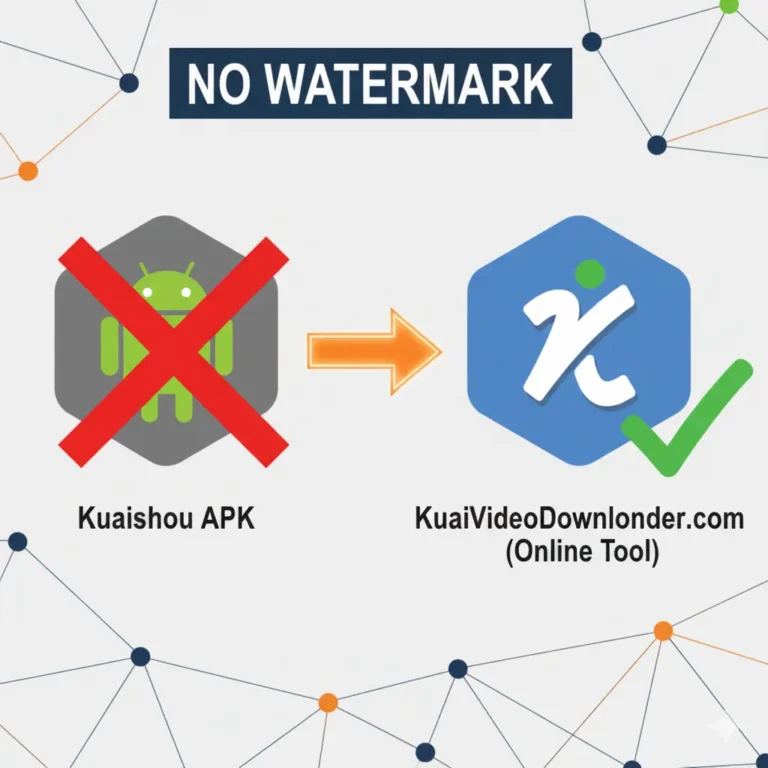
This is where most beginners fail. They use the “Share > Save to Album” feature inside the Kuaishou app.
Never do this.
When you save directly from the app, Kuaishou burns two things into the video:
- Visual Watermark: The bouncing logo and Creator ID.
- Metadata Tag: Invisible data inside the
.mp4file that says “Source: Kuaishou App.”
If you upload a video with either of these, TikTok will throttle your views to zero immediately.
The Correct Workflow
To get a file that looks “native” (as if you filmed it yourself), you need to intercept the video stream from the server before the watermark is applied.
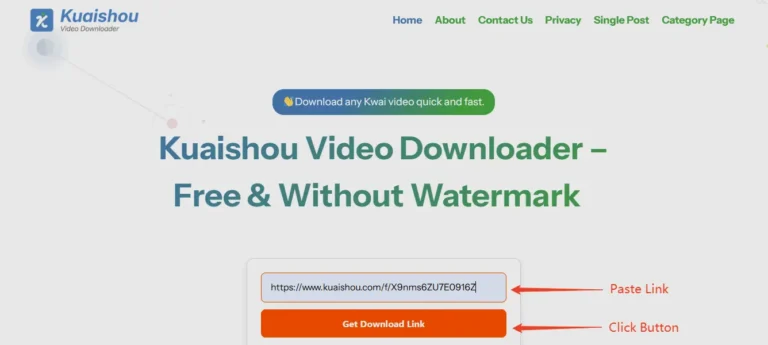
- Copy the Link: inside the Kuaishou app, tap the “Share” arrow and copy the link. It usually looks like a string of text with a URL.
- Use a Specialized Tool: Go to a dedicated kuaishou video downloader. Paste your link there.
- Select High Definition: Always choose the 1080p option. Repost pages die on low quality. If your video looks fuzzy, people scroll.
This tool strips the headers that identify the file as a Kuaishou download, giving you a “clean” MP4.
Pro Tip: If you are a developer or running a massive automation empire, you might want to look into advanced extraction scripts hosted on GitHub. These allow for bulk downloading, though for 99% of creators, the web tool is faster and safer.
Phase 3: The “Transformative” Edit (Avoiding the Shadowban)
You now have a clean file. Do not upload it yet.
Even without the watermark, the video has a visual “fingerprint.” AI algorithms scan the pixel arrangement of every upload. If it matches a video already in their database perfectly, you get flagged for “Unoriginal Content.”
You must change the fingerprint. We call this “The Transformative Edit.”
1. The Mirror Technique
Open your video editor (CapCut or Premiere). Find the “Mirror” or “Flip Horizontal” tool.
- Why: Flipping the video left-to-right changes the pixel arrangement completely. To a human, it looks the same. To a bot, it’s a new video.
- Warning: Do not do this if there is text on the screen (it will be backwards) or if the video relies on specific orientation (like driving on the left/right side of the road).
2. The 1.05x Speed Ramp
Change the speed of the clip to 105% (1.05x) or 95% (0.95x).
- Why: This subtly shifts the duration and frame data of the video. It makes the audio waveform slightly different, which helps bypass automated copyright ID scanners.
- The Sweet Spot: Keep it between 3-5%. Anything more makes the movement look unnatural.
3. The Audio Swap (Crucial)
90% of copyright strikes come from audio, not video.
- The Rule: Mute the original Kuaishou audio.
- The Fix: Replace it with a “Trending Sound” from TikTok or YouTube’s own library.
- The Loophole: If the original audio is the content (like a funny speech), you must add background music over it at 5-10% volume, or add a voiceover. This creates a new “mixed” audio track that is unique to you.
4. The “Reaction” Layer
If you want to be 100% safe—especially for YouTube monetization (YPP)—you need to add a human element.
- Green Screen: Put your face in the corner reacting to the clip.
- Voiceover: Explain what is happening. “Look at how this guy fixes the engine…”
- Text Overlay: Add captions that add context. Don’t just describe it; add a hook. Instead of “Funny Dog,” write “Wait for the ending…” or “I can’t believe he did this.”
Phase 4: Platform-Specific Strategies
Not all platforms treat reposts the same. Here is how to tailor your strategy for the big three.
TikTok: The “Trend” Engine
TikTok cares about retention.
- The Hook: You have 1.5 seconds. If the Kuaishou video has a slow intro, cut it. Start the video right at the action.
- The Loop: Edit the video so the end matches the beginning perfectly. TikTok users love seamless loops.
- Shadowban Check: If your views are stuck at 0-5 for an hour, delete the video. Do not privatize it. Delete it, re-edit (change the speed again), and try again later.
YouTube Shorts: The “Search” Engine
YouTube is stricter about “Reused Content”. You cannot monetize a channel that is 100% raw reposts anymore.
- The Strategy: Use Kuaishou clips as “B-Roll” for a larger story.
- The Title: Use SEO-heavy titles. “Satisfying Woodworking ASMR” works better than “Cool video.”
- The Link: Use the “Related Video” feature in Shorts to link back to a long-form compilation on your channel. This is how you convert Shorts views into real watch time.
Phase 5: The Monetization Reality Check
Can you make money doing this? Yes, but not how you think.
The “Creator Rewards” Trap:
TikTok’s “Creativity Program Beta” pays for videos longer than 1 minute. Most Kuaishou viral clips are 15-30 seconds.
- The Fix: You need to compile 3-4 related clips into a 61-second compilation. “Top 3 Most Satisfying Workers.”
- The Risk: Compilations are high-risk for “Unoriginal Content” flags. You must add a voiceover to compilations to monetize them safely.
The Real Money: CPA & Affiliate Marketing
Don’t rely on ad revenue. Use the traffic.
- Gadgets: If you repost “Cool Kitchen Gadgets” from Kuaishou, put an Amazon Affiliate link in your bio.
- Music: Record labels will pay you to use their song as the background music for your viral reposts.
- Brand Deals: Once you hit 100k followers, brands don’t care if you are a repost page. They just want the eyeballs.
Frequently Asked Questions (FAQ)
Q: Can I get sued for reposting Kuaishou videos?
A: Technically, yes. The original creator owns the copyright. However, in practice, cross-border copyright lawsuits for 15-second clips are rare. The real risk is a DMCA takedown, which deletes your video. If you get 3 strikes, your account is gone. This is why “Transformative Editing” (Fair Use) is so important.
Q: Why does my video have 0 views?
A: You likely triggered a spam filter. Did you upload 5 videos in 10 minutes? Did you leave the metadata on? Did you use a banned hashtag? Warm up your account by scrolling and liking other videos for 10 minutes before posting.
Q: Is it better to create a new account?
A: If you have been shadowbanned for more than 2 weeks, yes. Start fresh. Use a different SIM card or IP address if possible, as TikTok creates “Device IDs” to track banned users.
Q: What is the best time to post?
A: Ignore the “Global Best Times.” Post when your target audience is awake. If you are targeting the USA, post at 7:00 PM EST.
Conclusion: The “Curator” Mindset
There is a difference between a “thief” and a “curator.”
A thief downloads a low-quality video with a watermark and uploads it with the title “lol.” They get banned.
A curator finds a hidden gem, cleans it up using a professional kuaishou video downloader, edits it for maximum retention, adds their own unique spin, and brings value to an audience that would have otherwise never seen it.
The algorithm loves curators. It hates spammers.
Which one will you be?
Start your archive today. Find the niche, whether it’s Chinese street fashion, woodworking, or high-speed cooking and own it. The content is there, waiting for someone to package it for the world.


I’ve logged in a few times. Seems like a decent platform for lottery stuff, pretty easy to use overall.